Frequently
Asked
Questions
→ MVGO App
Can’t find your question here? Then take a look at the MVGO contact assistant.
Registration
To use MyRadl in the MVGO app, you need an active M-Login and a valid payment method. An M-Login is required for rental, billing and support for MyRadl. You cannot use MyRadl without an active M-Login.
No. To register for and use MyRadl, you must be at least 18 years old and have full legal capacity with MVGO. This is necessary, among other things, to ensure legally compliant billing and a clear allocation of responsibility.
By placing a hold of 1 euro, we verify your payment method before you rent a bike. The hold itself does not constitute a payment. It is automatically released upon payment.
Customer account
The MVGO app offers credit card payment as well as SEPA direct debit. PayPal is not available as a payment method in the MVGO app.
You will receive the invoice by email. You can also find an overview of all your journeys, including pricing details, in the MVGO app under ‘Costs & past journeys’ in your profile.
With direct debit, we will deduct the outstanding charges from your bank account on a monthly basis.
You can view your rental history and detailed transaction history at any time in your customer account via the website login.
With SEPA Direct Debit, no funds are held.
If a direct debit payment is declined, please contact our payment service provider Novalnet directly: https://www.novalnet.de/kontakt
Whether an amount is reserved depends on the payment method. With SEPA direct debit, no amount is reserved. For credit card payments, 1 euro per ride is currently reserved when renting a standard bike and 3 euros when renting an e-bike. If you take multiple rides, several amounts may be temporarily blocked. The funds are automatically released after the respective ride is billed, usually about 24 hours after the bike is successfully returned and the invoice is generated. Depending on your bank, it may take up to two days for the release to appear in your account. Only the actual ride price is charged.
At some banks, the reserved amount may remain visible for longer—this is due to the bank’s system settings. We automatically release the reservation once the payment has been successfully processed.
Your data is safe with us. It is processed in accordance with the GDPR and is used solely to provide you with tickets and sharing options, to process payments correctly and to prevent misuse.
M-Login serves as a central user account through which everything is managed in a clear and secure manner.
You can find more information here: mvg.de/datenschutz
You can access your profile via the ‘More’ menu option in the MVGO app. Under ‘Personal details’, you can view your address and telephone number. In the ‘Payment methods’ section, you can manage your saved payment methods via M-Login.
No, MyRadl can only be used with an active M-Login. If the M-Login or the MVGO app is deleted, MyRadl can no longer be used with the MVGO app.
M-Login is Stadtwerke München’s central user account for digital mobility services, amongst other things. In the MVGO app, M-Login serves as a single sign-on, through which public transport tickets, sharing services, personal data and preferred payment methods are securely managed.
Rent, park and return
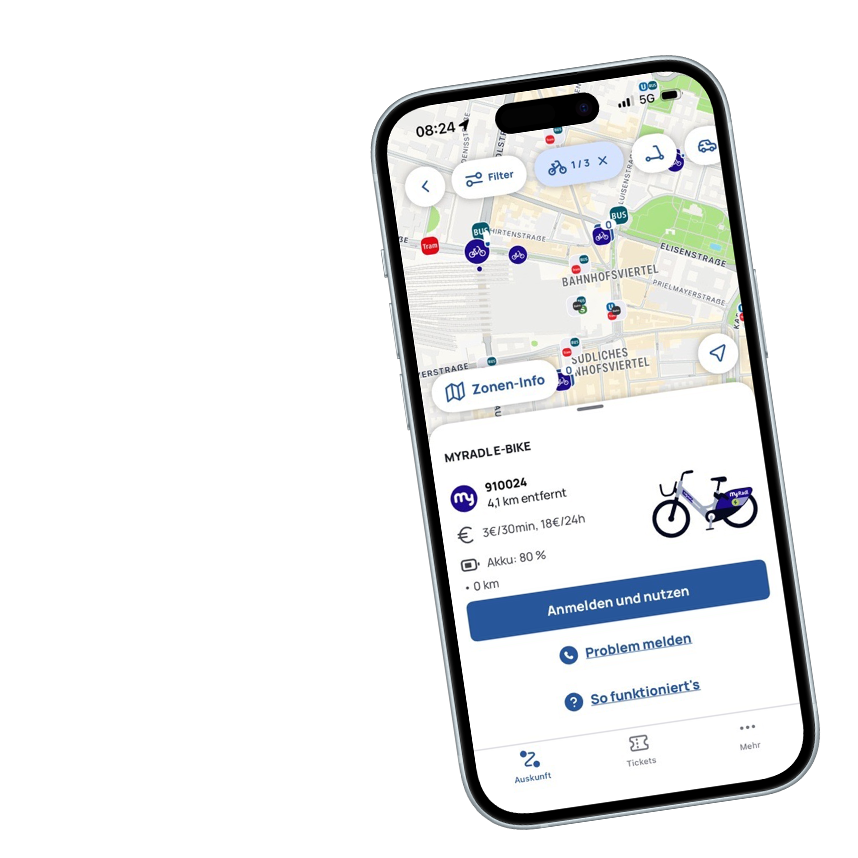
To start using MyRadl, either select an available bike on the map in the MVGO app or scan the QR code on the bike at the location. Once confirmed, the rental begins and the lock opens. You can end the rental by returning the bike correctly to an official MyRadl location and locking it.
Be sure to read the safety instructions before starting your ride. The rental process begins as soon as you start the rental in the app. To end the rental, take the MyRadl to an official MyRadl location, return it correctly and slide the frame lock down. You will see a confirmation in the MVGO app as soon as the rental has been successfully ended.
All MyRadl stations and available bikes are shown on the map in the MVGO app in your area. You can also see how many classic bikes or e-bikes are currently available.
Yes, you can pause your ride and park your MyRadl temporarily. This allows you to park your MyRadl outside an official station for a short time without incurring the €20 service fee.
Please note: Pause time counts towards your rental time and will be charged.
How it works
-
Select “Pause” in the MVGO app.
-
Then, close the lock on your MyRadl within 90 seconds. An acoustic signal will sound when the lock is closed correctly.
-
In addition, the app will notify you that the ride has been successfully paused.
-
When you want to end the pause, select “Unlock” in the MVGO app. The lock on your MyRadl will then open automatically.
Please note: If you close the lock before pause mode has been activated in the app, your rental will be ended instead of paused.
No. Initially, you can only rent one MyRadl at a time per customer account in the MVGO app.
Yes, you can reserve a MyRadl for free 15 minutes in advance and choose between a regular bike and an e-bike. Please note that you are only reserving the category, not a specific bike. After 15 minutes, the reserved bike will be made available to everyone again.
All official return locations are marked with a “P” on the map in the MVGO app. Take your bike to one of these designated parking areas, return it so that it does not obstruct anyone, and lock the frame lock. Then check in the app to see if the return has been successfully completed – only then does the billing end.
MyRadl locations are either physically marked (e.g. by posts, signs or floor markings) or are purely virtual locations that are displayed exclusively in the MVGO app.
As virtual locations are not visible on site, you should always check the MVGO app before returning the bike to ensure you are in a valid parking area, to avoid additional charges.
If you park your bike outside an official return zone, a service fee of €20 will apply. This fee covers the effort of collecting and redistributing the bikes. All return zones are marked with a “P” on the MVGO map. If you return your MyRadl outside one of these zones, you will receive an email from us shortly afterwards. You can then rent the bike again and park it in a nearby zone marked with a “P”. This way, you can avoid the service fee. If you are unsure whether you have parked your bike correctly, please also check your spam folder for our message.
Tariffs and conditions
If you’re logged in to the MVGO app with your M-Login, you’ll see the “Share Discounts” section under “More” in the menu. There, you can enter your subscription number. On your digital ticket, it will appear as your “Subscription Customer Number” below the QR code. If you have a chip card, you can find your subscription customer number in the MVG customer portal.
If you purchased your subscription through MVG and selected the “Handyticket” option, your subscription customer number will be displayed immediately, and you’ll just need to confirm it. Please note that you can only link your subscription to one app.
Save time and money with MyRadl
Combine MyRadl with your public transport pass and enjoy great benefits. This way, you can reach your destination flexibly while saving time and money — just hop on and start pedaling.