Frequently
Asked
Questions
→ MVV app
Can’t find your question here? Then take a look at the MVV FAQ.
Registration
To activate your customer account, you first need to link your MVV ID to MyRadl. Don’t worry, this can be done with just one click in your profile (under ‘Profile and login details’). You can then set up your payment method for MyRadl. This is verified by debiting a standard 1 euro. This is not a fee; the 1 euro will be available to you later as starting credit. The available payment methods are shown in the app.
Once the payment has been successfully debited, your customer account will be activated immediately. For bank transfers only – depending on your bank – activation may take two to four days.
Please note that your PayPal account must be verified. More information is available on PayPal.
To verify your payment method and activate your account, 1 euro will be debited from your bank account. However, this is not a registration fee; instead, it will be available to you as starting credit. This 1 euro will also be deducted when you change your payment method, in order to verify the new payment method as well.
Customer account
Your PayPal account is probably not verified. For more information please visit PayPal.
Invoices are issued by the operator nextbike and snet via email after each rental. Invoices can also be requested from MyRadl Support on +49 89 12230341 or via the MyRadl contact form. You can also find relevant information in the MVV app under the ‘MyRadl’ menu item in your recent rental history.
To delete your MyRadl user account, you can deactivate your MyRadl account under the ‘Profile and login details’ menu item. This will delete your MyRadl account, provided you have no outstanding rentals, reservations or payments. If, on the other hand, you wish to delete your entire MVV ID, you can do so under ‘Change login details’. Please note: Once you have deleted your MVV ID, you will no longer be able to use MVVswipe, book on-demand services or reserve seats on the BergBus.
Wenn du als Zahlungsweise eine Kreditkarte angegeben hast, werden die Gebühren für deine Fahrten in der Regel 24 Stunden nach deiner Ausleihe abgebucht.
Bei der Zahlungsweise Lastschrift buchen wir die offenen Gebühren monatlich von deinem Bankkonto ab.
Im Menüpunkt “”MyRadl”” der MVV-App findest du deine zurückliegenden Ausleihen sowie die jeweiligen Kosten. Hier findest du auch die Kontaktdaten für eine Rechnungsanfrage (Rechnungen werden vom Betreiber nextbike nur für SEPA-Zahlungen ausgestellt).
The privacy policy of the operator, nextbike, applies to the use of myRadl. You can find it here Privacy.
You can update your contact details via your MVV ID under the ‘Profile and login details’ menu option, then select ‘Change personal details’. Please note that these changes will also be applied to MVVswipe and On-Demand Services.
You can change your phone number directly in your MVV ID. To do so, simply go to the ‘Profile and login details’ menu item, select ‘Change personal details’ and update your phone number.
Rent, park and return
Yes, you can. To do so, tap the active rental in the MVV app and select ‘Pause rental’. Then please lock the bike. To resume the paused rental, tap ‘Resume rental’. The lock will open automatically.
The rental continues to run whilst paused and is charged in the same way.
As a general rule, the paused bike must not obstruct anyone.
Please note the following: The bike must not be paused:
a) at traffic lights
b) at parking ticket machines or parking meters
c) at road signs
d) on pavements if this reduces the clear passage width to less than 1.50 m
e) in front of, at or on emergency routes and fire brigade access zones
f) if this obscures a third party’s fixed advertising
g) by locking it to fences of private or public buildings and facilities
h) on public transport train and bus platforms
i) at public bicycle racks
You can rent up to four bikes at a time using one customer account. Booked tariffs and special conditions usually only apply to the first bike.
First, check whether a spoke is blocking the lock by turning the rear wheel slightly. If the lock does not open, follow the instructions in the active rental process. If this does not help, please contact MyRadl customer support.
Yes, bikes can be reserved via the app for a maximum of 15 minutes.
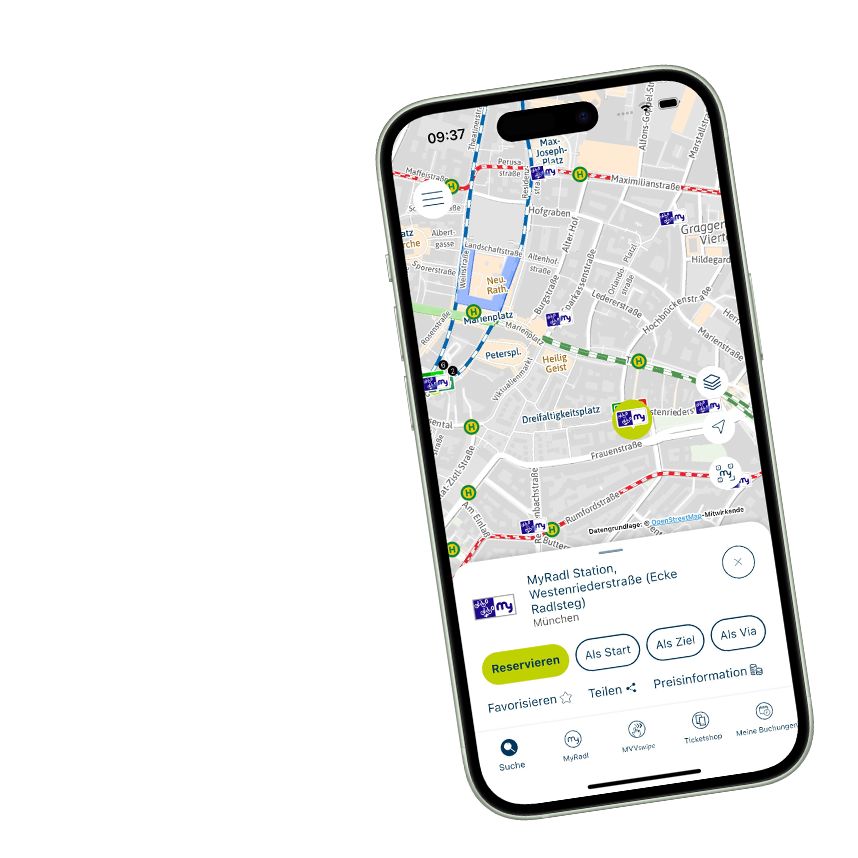
To reserve a bike in the MVV app, use the map to select the MyRadl location you want to start from and check whether a bike is available there. Then click on “Reserve” and select the number of bikes you wish to reserve. This only reserves the number of bikes; it does not reserve a specific bike. Once you arrive, you are free to choose which bike you wish to rent from the MyRadl locations.
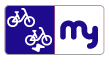
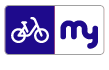
MyRadl locations are shown on the map in the MVV app using distinctive icons. When you click on a location, you will see all the bikes currently available at that location.
Bikes returned outside of locations are shown in our app with a single bike icon and are not assigned to any MyRadl location.
Important: Returning a bike outside of a location will incur a service charge.
Tariffs and conditions
In the MVV app, you can link your Deutschlandticket or MVV season ticket – purchased from MVV, MVG or the S-Bahn – under ‘Register season ticket’.
The discount usually applies only to the first bike if several bikes are hired at the same time. The exact terms and conditions can be found on the pricing or partners page of the MyRadl website.
Save time and money with MyRadl
Combine MyRadl with your public transport pass and enjoy great benefits. This way, you can reach your destination flexibly while saving time and money — just hop on and start pedaling.